Configure workspaces to load a telemetry plugin
Configure DevWorkspaces to load the telemetry plugin so that workspace activity events are sent to your telemetry backend for collection and analysis.
-
An active
kubectlsession with administrative permissions to the destination Kubernetes cluster. See Overview of kubectl. -
You have a running instance of Eclipse Che.
-
You have a telemetry plugin deployed and hosted on a web server. See Deploy a telemetry plugin.
-
Add the telemetry plugin to the
componentsfield of an existing DevWorkspace:components: ... - name: telemetry-plugin plugin: uri: <telemetry_plugin_url> -
Start the DevWorkspace from the Che dashboard.
-
Optional: Configure the
CheClusterCustom Resource to apply the telemetry plugin as a default for all DevWorkspaces. Default plugins are applied on DevWorkspace startup for new and existing DevWorkspaces.spec: devEnvironments: defaultPlugins: - editor: che-incubator/che-code/latest plugins: - '<telemetry_plugin_url>'where:
editor-
The editor identification to set the default plugins for.
plugins-
List of URLs to devfile v2 plugins.
-
Verify that the telemetry plugin container is running in the DevWorkspace pod by checking the Workspace view within the editor.
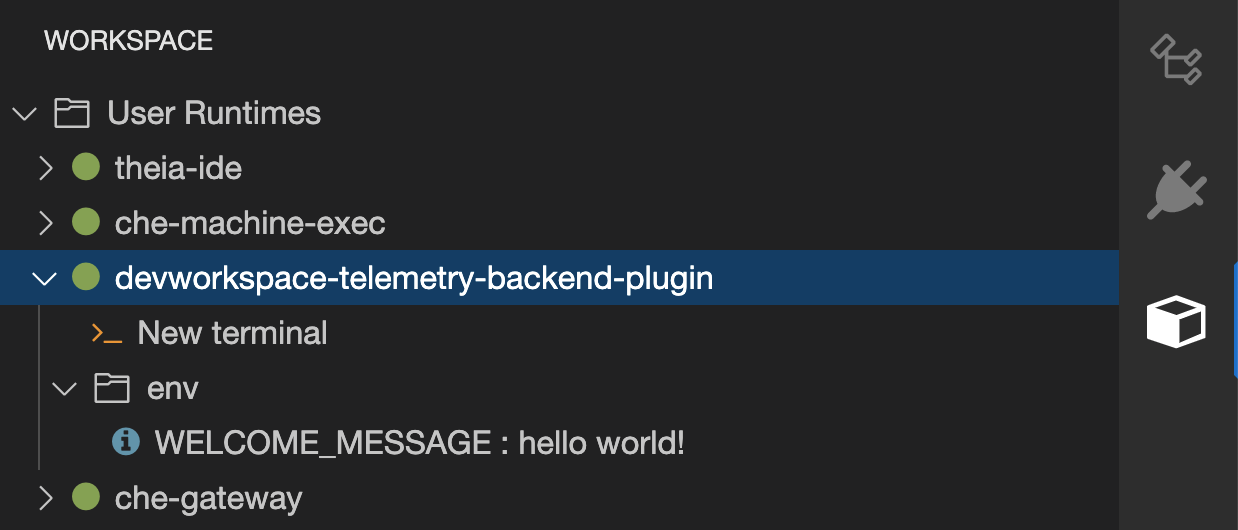
-
Edit files within the editor and observe their events in the example telemetry server’s logs.